Operations and procurement platforms
Systems for purchasing, vendor management, inventory and day-to-day operations, with approval limits by role and one record of every transaction.

Enterprise applications
Bluelupin builds enterprise applications for large organizations and government bodies: workflow systems with role-based access, approval chains, audit logs, and integrations with ERP, CRM and identity systems. We release in phases so teams switch over in stages, document the system, and support it after launch through Application Support and Maintenance.
An enterprise application is used by many roles and departments, each with its own permissions and place in a hierarchy. Requests move through approval chains, and an audit log records who did what and when. The system connects to your ERP, CRM, HR and identity systems, serves thousands of users across regions, and rolls out in phases with training for each group.
| You need | Use |
|---|---|
| A system used by many departments and roles, with audit logs and integrations | Enterprise Application Development (this page) |
| A small business tool or a first product | Custom Software Development |
| A product you sell to other companies | SaaS Product Development |
| A public website or customer portal | Web Application and Portal Development |
| ERP modules or ERP modernization | ERP Development and Modernization |
If you need a smaller tool built around one team's process, see Custom Software Development.
As an enterprise software development company in India working with teams in India and abroad, we build the systems that run core operations: workflows across departments, approval chains, audit trails and connections to the systems you already run.
Systems for purchasing, vendor management, inventory and day-to-day operations, with approval limits by role and one record of every transaction.
Case routing, approval chains, SLA tracking and escalation, built as state-machine workflows so each case is always in a known state with a named owner.
Applications for staff and field teams to log work, submit requests and see their tasks, on the web and on mobile.
One place for teams to find what they need, and dashboards that show leaders the state of operations across departments.
One layer that connects ERP, CRM, HR, payment and older systems, with event-driven sync, API gateways and data normalization, so each system gets clean data.
Related work has its own pages: workflow automation across your systems in Business Process Automation, data platforms and reporting in Data Engineering and Analytics, and modernizing older systems in Legacy Modernization.
Enterprise application development for government and large organizations starts with control over who can see and change what. We build security into the design from the first sprint and keep a record that your auditors can follow.
We capture your security and compliance requirements during discovery and check them before go-live.
We connect to your ERP (including ERPNext) through its APIs, to CRM tools such as Salesforce, to HR and identity systems, and to older databases. Data moves between them without replacing systems that still work. When the main job is connecting systems, see API and Integration Services.
Enterprise projects involve many stakeholders, so every step has a review point and nothing reaches all users at once.
Stakeholder workshops, process maps, your compliance needs and a map of the systems the application must connect to.
A technical blueprint, a security review, the data model and a phased plan aligned with your IT governance.
Working software shown in regular demos, user acceptance testing (UAT) cycles, and coordination with your change advisory board where you have one.
Functional, regression, performance and security checks before each release. See Quality Engineering and Test Automation.
A pilot group first, then training, phased onboarding of each team and close support in the first weeks after go-live.
Monitoring in production and an enhancement backlog agreed with your team.
How long it takes: A focused module usually takes 8 to 12 weeks, and a larger program 4 to 9 months in phased releases.
We load-test each system before go-live, set it to scale automatically as use grows, deploy across more than one region where your users or policies need it, and plan for disaster recovery with backups and documented recovery steps. The design is modular and API-first, so new departments, policies and business lines can be added later.
After go-live we monitor the system, fix issues and ship enhancements, and we transfer knowledge and documentation so your IT team can take over when it is ready. Long-term support, including a continuing team that works through your roadmap, runs through Application Support and Maintenance.
We build for government, banking and finance, healthcare, education, oil and gas, retail, logistics and aviation.
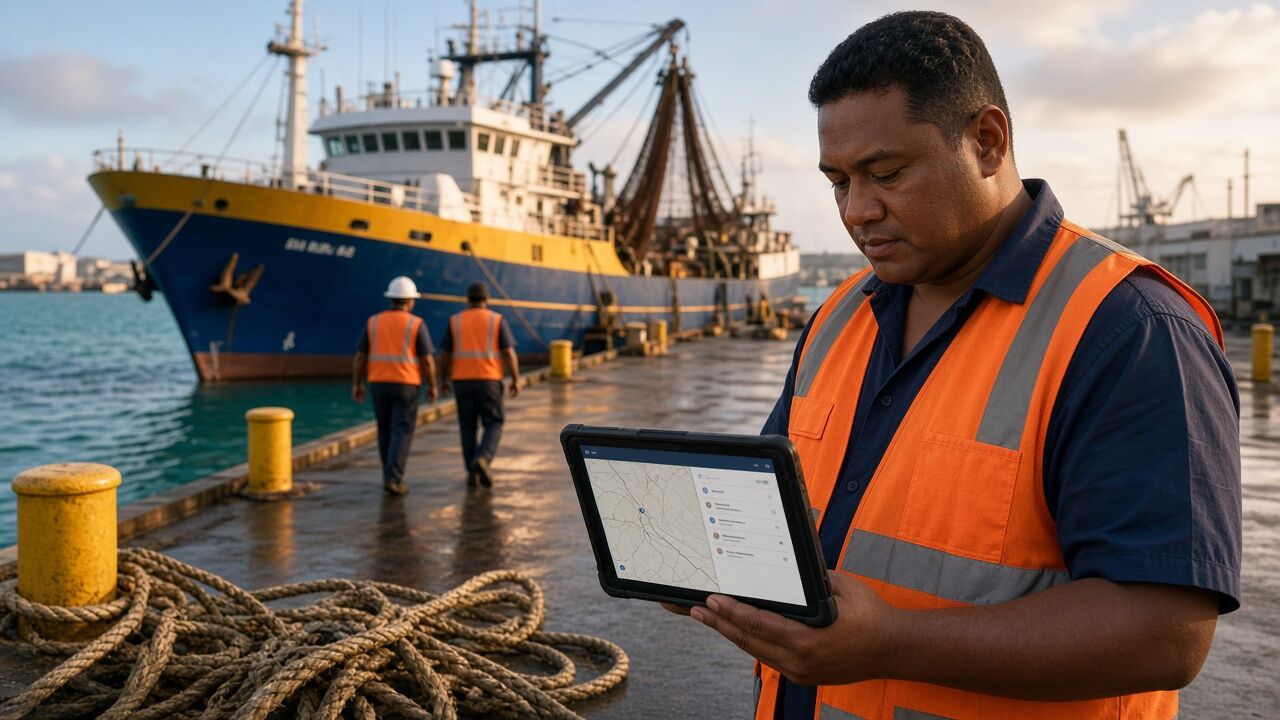
We built Tri Marine's cloud operations portal for tracking and reporting the global tuna operations of this seafood supplier. It runs on Microsoft Azure, with an Angular front end, an ASP.NET MVC API, SQL Server and real-time dashboards, and connects to the company's existing enterprise systems.

We built the IndiaAI national AI portal for MeitY. It brings AI news, research, startups, policy and learning into one portal, built on Laravel, Nuxt.js and AWS with Elasticsearch and Redis.
Common questions about enterprise application development.
Enterprise applications need role hierarchies, audit and access controls, connections to many systems, phased rollouts and governance that smaller tools rarely need.
Build when your process sets you apart, when your security or compliance needs go beyond what a product offers, when you need deep connections to older systems, or when owning the platform costs less over time.
We build for audit readiness with role-based access, encryption, activity logs and documentation. We capture your security requirements during discovery and check them before go-live.
Yes. We connect to the ERP you run through its APIs, including ERPNext, and to CRM tools, HR systems, payment gateways and older databases, so data moves without replacing systems that still work.
Focused modules usually take 8 to 12 weeks. Full enterprise platforms take 4 to 9 months in phased releases, depending on scope and integrations.
Yes. Monitoring, fixes, enhancements and knowledge transfer are part of how we deliver, and long-term support runs through Application Support and Maintenance.
Tell us which teams will use the system and what it must connect to. Response within one business day.
Book a consultationOr email sales@bluelupin.com or call +91 99100 24224


