Email and ticket triage
Classify each item, set its priority and route it to the right queue or person.

AI workflow automation
AI workflow automation adds AI steps to your business workflows. Bluelupin builds workflows where AI reads emails, tickets and forms, works out what each one needs and routes it, while rules enforce your policies and approvals. Unclear cases go to a person. The workflows connect to your ERP, CRM, team chat and custom applications.
| You need | Use |
|---|---|
| Known steps where some inputs need reading or judging | AI workflow automation (this page) |
| Clicking through legacy screens with no API | Business Process Automation |
| Automation inside your ERP | ERP and Automation |
| Turning documents into checked fields | Intelligent document processing |
| A system that has to choose its own steps and tools | AI agent development |
If the work is clicking through screens in systems with no API, see Business Process Automation. If steps need AI to read or judge content, see AI workflow automation.
If the steps are fixed and known in advance, see AI workflow automation. If the system has to choose its own steps and tools, see AI agent development.
IDP turns documents into checked data. AI workflow automation runs the steps that come after.
AI handles the unclear part of each item: what an email is about, how urgent it is and which fields it contains. Rules enforce your policy: approval limits, SLAs and who can approve what. Items the AI is unsure about go to a reviewer before anything happens.
Examples of what we can build.
Classify each item, set its priority and route it to the right queue or person.
Approval requests in Slack or Microsoft Teams, and exceptions handled with full context.
Extract fields, check them against your rules and create records in the CRM or ERP. When the input is a document, see intelligent document processing.
Scheduled summaries of bottlenecks, automation rates and exception volumes.
Monitoring and tuning after launch: AI Model Monitoring and Optimization.
See also API and integration services and ERP and automation.
Every AI decision and every human override is logged, approvals follow your roles, and personal data is handled under your policies.
Governance and responsible AI are built into every Bluelupin build.
We map one workflow and agree how success will be measured. This is the strategy and readiness phase of every Bluelupin build.
The workflow running on sample items, with the AI steps and rules in place.
Live items with human review switched on, while we measure accuracy and cycle time.
Rollout and training for the teams who use the system can be included. How we roll out.
Our AI model monitoring and optimization service can run it after launch. Corrections update prompts, rules and test cases.
How long it takes: A first prototype can be ready in 1 to 2 weeks. Pilots usually take 4 to 8 weeks, and production systems usually take 3 to 6 months.
We pick the orchestration tool that fits your stack and the AI model for each step. Bluelupin is an OpenAI partner.
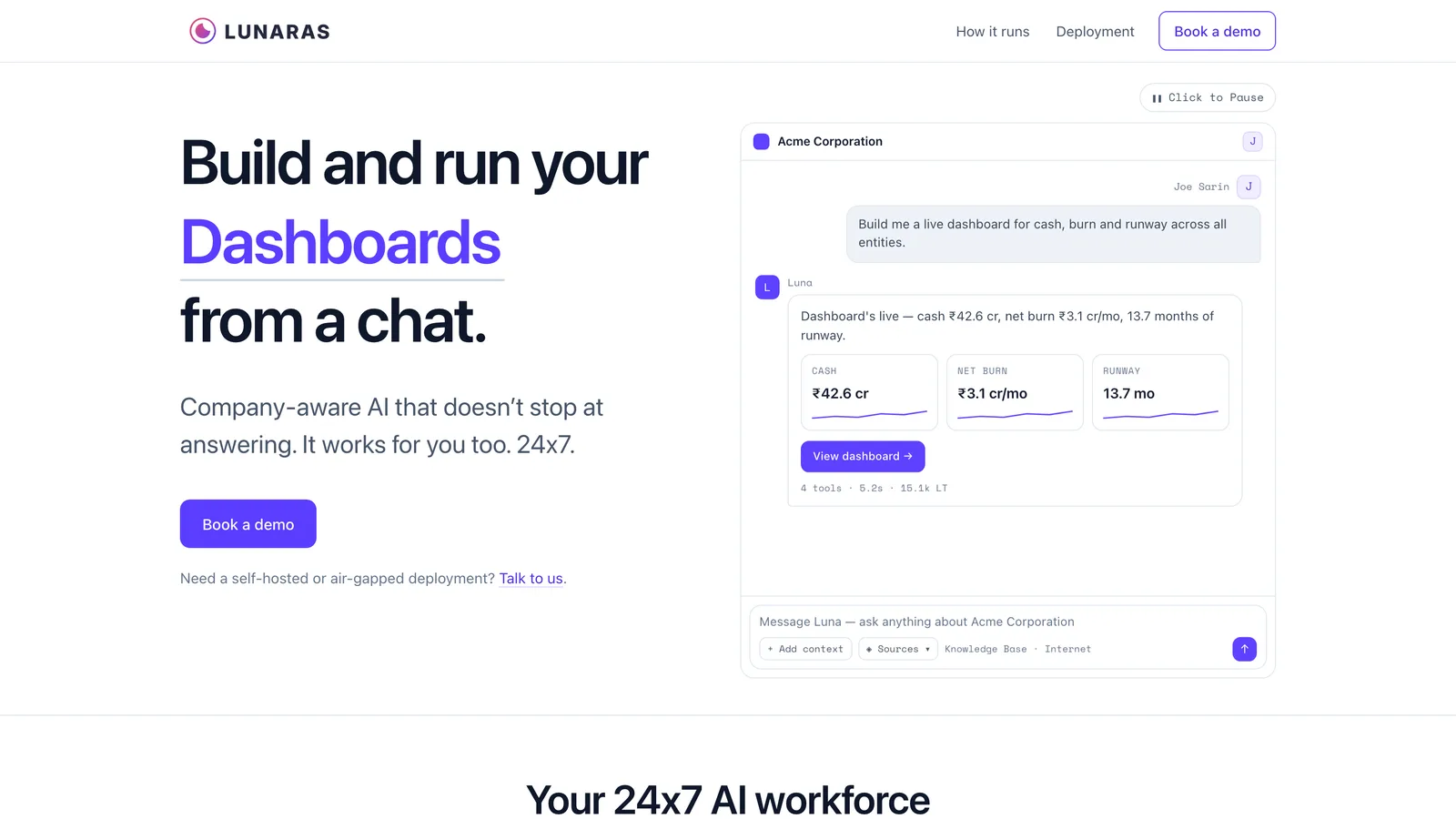

We designed and built Lunaras, a company-aware AI platform. It connects to the systems a company already runs and keeps its own records alongside them, so the assistant that answers a question can also run the next step. Teams use it to build and run data analysis, dashboards, reports, presentations, workflows and agents from a chat. Lunaras runs in India, with Mumbai as its primary region, or wherever a client's data has to stay, and also offers hybrid and on-premises deployment, including air-gapped installs. Lunaras is in beta.
Common questions about AI workflow automation.
Rules can only handle inputs they expect. AI reads unstructured inputs such as emails, chat messages and documents, works out what each one needs and passes it into the workflow, so more of the process can run end to end.
Yes. We build automations inside Salesforce with Salesforce Flow, and connect it to your other systems through APIs and n8n when a process runs across several tools.
Items the AI is unsure about go to a person before anything happens. Corrections are logged, and we use them to update prompts, rules and test cases.
Usually not. We work alongside them. AI handles the reading and judging, such as sorting emails or pulling fields from a form, and your RPA bots can keep the steps that click through legacy screens with no API. If you need new RPA work, see Business Process Automation.
A first prototype can be ready in 1 to 2 weeks. Pilots usually take 4 to 8 weeks, and production systems usually take 3 to 6 months. The time depends on how many systems we connect, how ready your data is and how many review and approval steps the work needs.
Cost depends on the number of steps and systems, the volume of items, how much human review the process needs, and model usage.
Tell us which workflow takes your team the most time and the systems it runs through, and we will help you plan the first step. Response within one business day.
Talk to our AI teamOr email sales@bluelupin.com or call +91 99100 24224

%20-%20https://sketch.com%20--%3e%3ctitle%3eIcon-Architecture/64/Arch_AWS-Step-Functions_64%3c/title%3e%3cdesc%3eCreated%20with%20Sketch.%3c/desc%3e%3cdefs%3e%3clinearGradient%20x1='0%25'%20y1='100%25'%20x2='100%25'%20y2='0%25'%20id='linearGradient-1'%3e%3cstop%20stop-color='%23B0084D'%20offset='0%25'%3e%3c/stop%3e%3cstop%20stop-color='%23FF4F8B'%20offset='100%25'%3e%3c/stop%3e%3c/linearGradient%3e%3c/defs%3e%3cg%20id='Icon-Architecture/64/Arch_AWS-Step-Functions_64'%20stroke='none'%20stroke-width='1'%20fill='none'%20fill-rule='evenodd'%3e%3cg%20id='Icon-Architecture-BG/64/Application-Integration'%20fill='url(%23linearGradient-1)'%3e%3crect%20id='Rectangle'%20x='0'%20y='0'%20width='80'%20height='80'%3e%3c/rect%3e%3c/g%3e%3cpath%20d='M45,44%20L66,44%20L66,37%20L45,37%20L45,44%20Z%20M67,35%20L44,35%20C43.447,35%2043,35.448%2043,36%20L43,45%20C43,45.552%2043.447,46%2044,46%20L67,46%20C67.553,46%2068,45.552%2068,45%20L68,36%20C68,35.448%2067.553,35%2067,35%20L67,35%20Z%20M43.5,62.5%20C43.5,64.43%2041.93,66%2040,66%20C38.07,66%2036.5,64.43%2036.5,62.5%20C36.5,60.57%2038.07,59%2040,59%20C41.93,59%2043.5,60.57%2043.5,62.5%20L43.5,62.5%20Z%20M14,47%20L32,47%20L32,43%20L14,43%20L14,47%20Z%20M14,37%20L32,37%20L32,33%20L14,33%20L14,37%20Z%20M36.5,17.5%20C36.5,15.57%2038.07,14%2040,14%20C41.93,14%2043.5,15.57%2043.5,17.5%20C43.5,19.43%2041.93,21%2040,21%20C38.07,21%2036.5,19.43%2036.5,17.5%20L36.5,17.5%20Z%20M56,53%20L24,53%20L24,49%20L33,49%20C33.553,49%2034,48.552%2034,48%20L34,42%20C34,41.448%2033.553,41%2033,41%20L24,41%20L24,39%20L33,39%20C33.553,39%2034,38.552%2034,38%20L34,32%20C34,31.448%2033.553,31%2033,31%20L24,31%20L24,28%20L56,28%20L56,32%20L58,32%20L58,27%20C58,26.448%2057.553,26%2057,26%20L41,26%20L41,22.904%20C43.556,22.432%2045.5,20.191%2045.5,17.5%20C45.5,14.467%2043.032,12%2040,12%20C36.968,12%2034.5,14.467%2034.5,17.5%20C34.5,20.191%2036.444,22.432%2039,22.904%20L39,26%20L23,26%20C22.447,26%2022,26.448%2022,27%20L22,31%20L13,31%20C12.447,31%2012,31.448%2012,32%20L12,38%20C12,38.552%2012.447,39%2013,39%20L22,39%20L22,41%20L13,41%20C12.447,41%2012,41.448%2012,42%20L12,48%20C12,48.552%2012.447,49%2013,49%20L22,49%20L22,54%20C22,54.552%2022.447,55%2023,55%20L39,55%20L39,57.096%20C36.444,57.568%2034.5,59.809%2034.5,62.5%20C34.5,65.533%2036.968,68%2040,68%20C43.032,68%2045.5,65.533%2045.5,62.5%20C45.5,59.809%2043.556,57.568%2041,57.096%20L41,55%20L57,55%20C57.553,55%2058,54.552%2058,54%20L58,49.027%20L56,49.027%20L56,53%20Z'%20id='AWS_Step_Functions_Icon_64_Squid'%20fill='%23FFFFFF'%3e%3c/path%3e%3c/g%3e%3c/svg%3e)


