Rehost
Move the application as it is to cloud servers. It is the fastest option with the least change, and suits stable applications that work well today.

Cloud migration
Bluelupin plans and runs cloud migration projects. We assess each application, set up a secure cloud foundation, move workloads and databases in planned waves with rollback steps, and rebuild the parts that benefit from containers or serverless. We work mainly on AWS and also on Azure. After go-live, our cloud operations team can run it.
There are four ways to take an application to the cloud. We pick one for each application, based on how it is built, how often it changes and what it costs to run today.
Move the application as it is to cloud servers. It is the fastest option with the least change, and suits stable applications that work well today.
Move with small changes, such as a managed database in place of a self-run one, or the application packaged in containers, so it is easier to run.
Redesign the application as cloud-native when it must scale or change often. It takes longer and leaves the most room to grow.
Switch off what nobody uses, or replace it with a ready-made product when one already does the job.
The assessment decides the option for each application separately.
As a cloud migration company in India working with teams in India and abroad, we start every cloud transformation with an assessment, so you see the plan and its risks before anything moves.
A list of your applications, databases and servers, and how they depend on each other.
Which applications matter most to the business, and which can move first with the least risk.
The cost of running each application today against its cost in the cloud (TCO), and the risks of each move.
Applications grouped into migration waves, each with a cutover window and rollback steps.
The output is a wave plan for you to review and approve, with the chosen option and the rollback steps for every application.
A cloud landing zone is a pre-set cloud environment with security, networking, identity and governance rules in place. We set it up before any workload moves, so every application lands on the same secure foundation. On AWS we build it with AWS Control Tower.
Workloads move in planned waves. Each wave has a cutover window agreed with your team, checks before and after the switch, and a rollback step if something does not work as expected.
We move servers and applications to AWS wave by wave. Each cutover is rehearsed first, runs in a planned window and has a tested way back to the old setup.
Data is copied by replication, such as AWS DMS and read replicas, while the old database keeps running. We check that the data matches, then switch over in phases within a short planned window.
When your systems or policies need Microsoft Azure, we work there too. The Tri Marine operations portal we built runs on Azure.
Cloud-native development means building or rebuilding an application to use what the cloud does well: scaling on demand, managed services and automated setup. We use it for the parts of your systems that must scale or change often.
Lambda, ECS, Fargate and Kubernetes, with blue-green deploys, so a new version runs beside the old one and traffic switches when it is ready.
Aurora, DynamoDB, SQS and EventBridge, with caching, so you run fewer database and queue servers yourself.
Terraform and CloudFormation, so every environment is set up the same way, with drift detection that warns when a setting is changed by hand.
We split a large application step by step with the strangler-fig approach, moving one part at a time into its own service. For older systems, see Legacy Application Modernization.
For web and mobile products we build on AWS with API Gateway, Lambda, ECS, S3, CloudFront, Cognito and managed databases, designed to scale automatically.
We design each system to keep running when a part of it fails. That means deployments across more than one availability zone (multi-AZ), health checks that replace a failing server, backups and failover options, with runbooks matched to your recovery time and recovery point targets (RTO and RPO).
Cost is part of the migration plan. We right-size each workload before it moves, so you do not pay for capacity it never used. Every resource is tagged by product and environment, and budgets with alerts show a jump in spend within days instead of at month end.
At go-live we hand over the runbooks, the architecture notes and the access, so your team can run the new setup. If you want us to support the applications after the move, see Application Support and Maintenance.
| You need | Use |
|---|---|
| Applications moved or rebuilt for the cloud, as a project | Cloud Migration and Modernization (this page) |
| Fixes, updates and support for the applications after the move, as an ongoing service | Application Support and Maintenance |
| Older software rebuilt in stages | Legacy Application Modernization |
How long it takes: A focused module usually takes 8 to 12 weeks, and a larger program 4 to 9 months in phased releases.
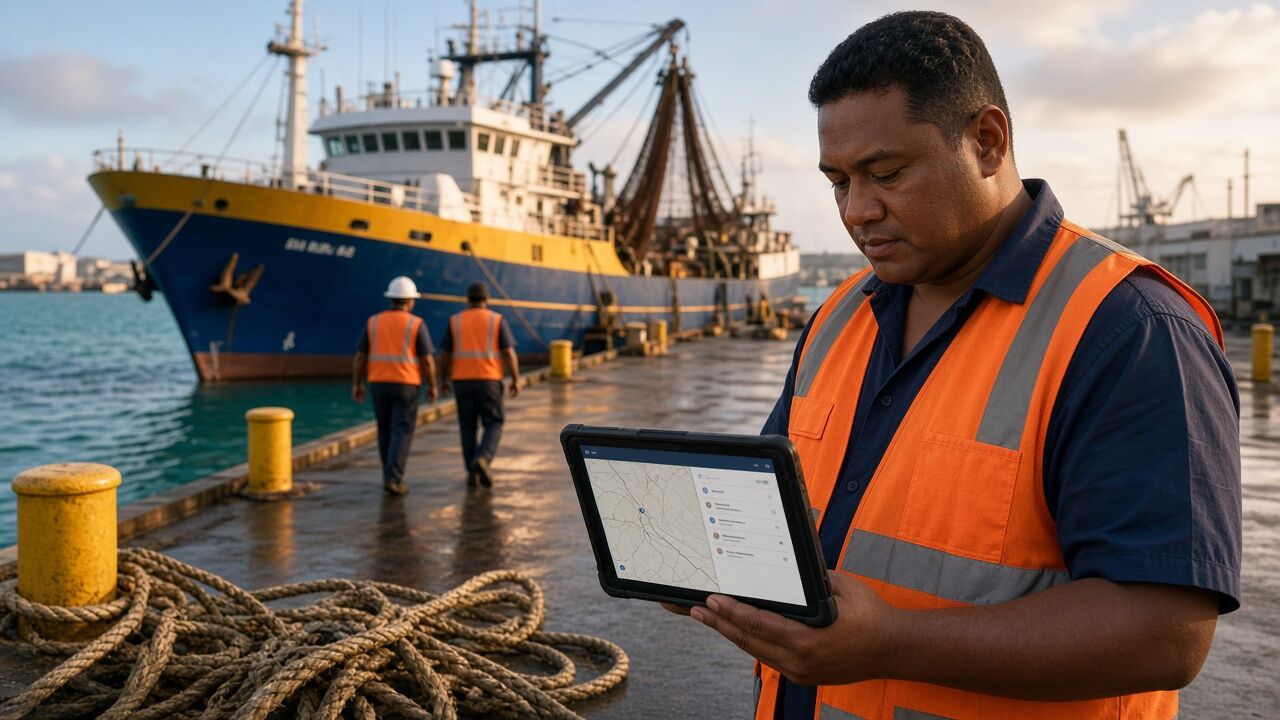
We built Tri Marine's cloud operations portal for tracking and reporting its global tuna operations. It runs on Microsoft Azure, with an Angular front end, an ASP.NET MVC API, SQL Server and real-time dashboards.
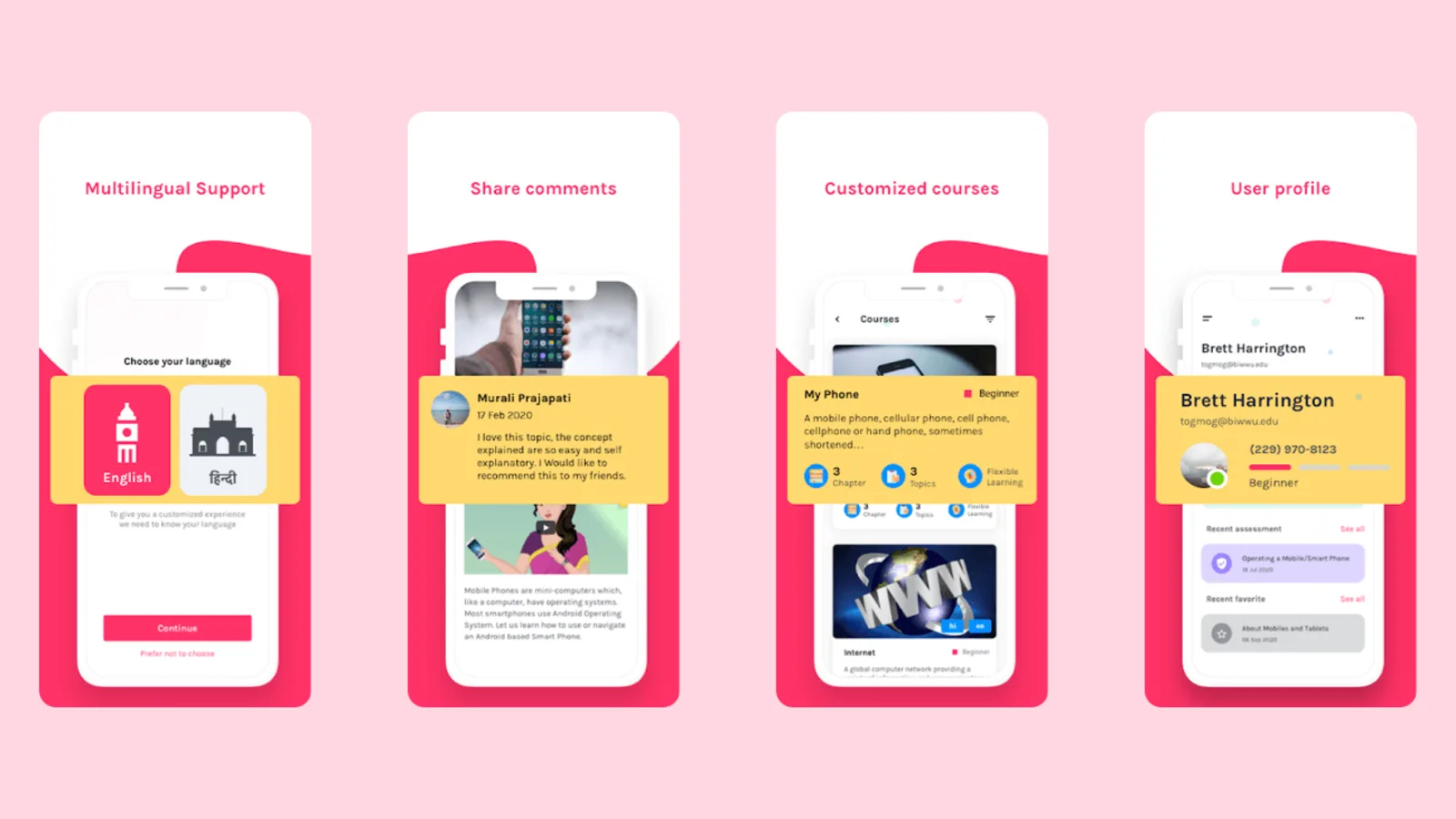
We built DigiSakshar, the Vodafone Idea Foundation's digital learning platform, on AWS. It delivers multilingual courses to learners across India and is built for low bandwidth and a wide range of devices.
Common questions about cloud migration.
We work mainly on AWS, and also on Microsoft Azure when your systems or policies need it.
A landing zone is a pre-set cloud environment with security, networking, identity and governance rules in place. It is the foundation every migrated workload moves into.
Yes. We use replication, such as AWS DMS and read replicas, and a phased cutover, so the switch happens in a short planned window.
Yes. We break it up step by step with the strangler-fig approach, move parts into containers or serverless, and extract services one at a time instead of rewriting everything at once.
We design backups, failover options and runbooks to match your recovery time and recovery point targets.
Tell us what you run today and where it runs. Response within one business day.
Book a consultationOr email sales@bluelupin.com or call +91 99100 24224


